
Application overview
Read the application introduction, quick start, capabilities, and limits.
Development status: Active development takes place on GitLab. GitHub mirrors the
mainbranch.DurpDeploy is under active development and does not have a stable release yet.
Read software versions and build numbers for CLI, API, container, and upgrade diagnostics.
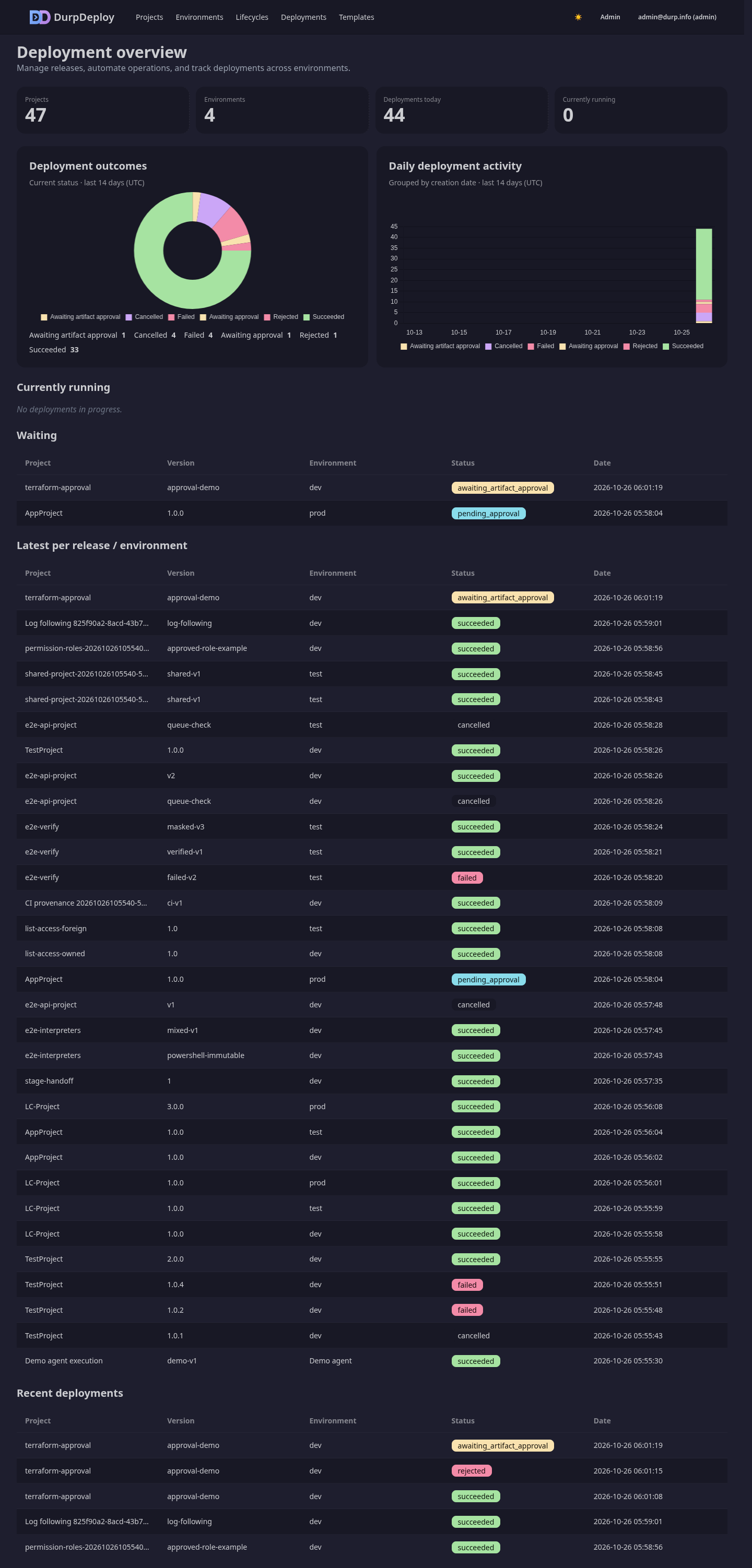
A single-binary deployment tool for Bash, PowerShell, and Python scripts. Organize projects and environments, capture releases, and deploy with live logs.
What it does
- Ordered script steps, environment-scoped variables, and secret masking.
- Release snapshots of steps and variables. Refresh affects future deployments; existing deployment snapshots stay frozen.
- Deployment approvals, cancellation, verification, rollback, and schedules.
- Remote agent fan-out over pinned mTLS, with environment and capability routing.
- Reusable templates, runbooks, package repositories, and artifact approval.
- Slack, email, Gotify, and Discord notifications.
- Browser sessions, optional MFA/OIDC, bearer API tokens, and an audit log.
Local quick start
Use the curated template library for Bash, PowerShell, Python, and approval-gated Terraform deployment starters.
Install Go 1.26+, Node.js, the templ CLI, and Docker or Podman. Build and start the development HTTPS proxy:
npm ci
make build
make dev
In another terminal, create the first administrator:
./durpdeploy admin create --email admin@example.com --password '<strong-password>'Open https://localhost:8443. Trust the temporary CA printed by make dev.
The backend listens on http://localhost:8080 and uses durpdeploy.db by default.
Keep the development encryption key with that database.
See development and testing for other databases,
proxy options, generated assets, and test commands. Use make demo for a populated
instance with a paired agent and retained manual-test fixtures.
Deployment workflow
- Create a project and its ordered script steps.
- Create environments and add environment-scoped variables.
- Create a release to capture the project configuration.
- Select an environment and deploy the release.
- Follow logs and approvals, then inspect verification results.
Server steps require a container image and a ready Docker/Podman runtime. Step containers receive no runtime socket or control-plane mount. A remote step runs on every matching active agent; there is no local fallback.
API and agents
The JSON API lives at /api/v1. Create a user token in Settings → Tokens
or with the CLI, then send it as a bearer credential:
./durpdeploy tokens create --user admin@example.com --name ci
curl -H 'Authorization: Bearer ddp_pat_<token>' http://localhost:8080/api/v1/projects
Browser MFA protects browser sessions only. API tokens remain single bearer
credentials; an MFA reset does not revoke them. The public Swagger reference
is at /api/swagger/ on a running server.
External agents can discover the shipped operator skill
at /.well-known/skills/index.json or /.well-known/agent-skills/.
For opencode, add skills: { urls: ["https://your-host/.well-known/skills/"] },
or copy the served skill into ~/.config/opencode/skills/durpdeploy/SKILL.md.
Remote agents support agent/1, agent/2, and agent/3. The v0.1.0 source tag
remains Bash-only compatible. Container steps require agent/3; older protocols
are host-only. Preserve paired state when upgrading.
Guides
| Task | Guide |
|---|---|
| Install with Compose | Deployment |
| Install on Kubernetes | Helm chart |
| Configure remote agents | Agent operations and protocol |
| Back up, restore, or prune audit logs | Backup and maintenance |
| Set up optional OIDC | OIDC / Authentik |
| Assign user permissions | Roles |
| Configure notifications | Notifications |
| Review generated plans | Artifact approval |
| Understand security boundaries | Security and attack drill |
| Reproduce CI security gates | Security scanning |
| Configure GitLab pipelines and runners | GitLab CI |
| Build and test | Development, manual E2E, mobile CI |
| Change the UI | Design system |
Limits
- No SSH-based deployment targets.
- No parallel step execution or CI/build pipeline.
- No Kubernetes-native execution backend. The chart hosts the server; use standalone agents for executable steps.
- Container execution shares the runtime host’s kernel. Runtime socket access grants host authority. Trust script authors and isolate execution hosts.
Stack: Go, chi, SQLite/PostgreSQL/SQL Server, sqlc, goose, templ, HTMX, Alpine.js, Tailwind CSS, and DaisyUI. License: MIT.